

Test Tags 4.1.0+
Tags let you label tests so you can filter what runs and override their options when needed.
Why tags
Tags become useful once a suite has groups of tests that share runner options, like a longer timeout for database queries or retries for integration tests on CI. Repeating those options on every relevant test by hand is brittle, and the categories often don't line up with file paths anyway, so splitting them out by file isn't an option. Flaky tests in particular tend to accumulate wherever the bugs landed, not in a flaky/ folder.
A tag captures that kind of category: the definition holds the shared options, and any test marked with the tag inherits them. Those tag names can also be combined into expressions: --tags-filter='db && !flaky' runs database tests that aren't marked flaky. TestRunner.matchesTags exposes the same expression at runtime, useful when globalSetup does expensive work that should be skipped if no tagged tests are scheduled.
When to reach for tags
| If you want to… | Use |
|---|---|
| Apply timeout/retry to a category of tests | Tags |
Mark cross-cutting categories (flaky, slow, frontend) scattered across many files | Tags |
| Conditionally run expensive setup based on what's filtered | Tags + matchesTags |
| Run a subset by test name match | -t / testNamePattern |
| Run a subset by file path | --include / --exclude |
| Run different files with different runner settings (isolation, pool, environment) | Test Projects |
You can combine projects and tags. A test that sits in a Sequential project can also carry a flaky tag, and Vitest applies both.
Defining Tags
Tags must be defined in your configuration file. By default, Vitest does not provide any built-in tags. If a test uses a tag that isn't defined in the config, the test runner will throw an error. This prevents unexpected behavior from mistyped tag names. You can disable this check with the strictTags option.
You must define a name of the tag, and you may define additional options that will be applied to every test marked with the tag, e.g., a timeout, or retry. For the full list of available options, see tags.
import { defineConfig } from 'vitest/config'

export default defineConfig({
  test: {
    tags: [
      {
        name: 'frontend',
        description: 'Tests written for frontend.',
      },
      {
        name: 'backend',
        description: 'Tests written for backend.',
      },
      {
        name: 'db',
        description: 'Tests for database queries.',
        timeout: 60_000,
      },
      {
        name: 'flaky',
        description: 'Flaky CI tests.',
        retry: process.env.CI ? 3 : 0,
        timeout: 30_000,
        priority: 1,
      },
    ],
  },
})
If you are using TypeScript, you can enforce what tags are available by augmenting the TestTags type with a property that contains a union of strings (make sure this file is included by your tsconfig):
import 'vitest'

declare module 'vitest' {
  interface TestTags {
    tags:
      | 'frontend'
      | 'backend'
      | 'db'
      | 'flaky'
  }
}
To see all your tags, you can use --list-tags command:
vitest --list-tags

frontend: Tests written for frontend.
backend: Tests written for backend.
db: Tests for database queries.
flaky: Flaky CI tests.
To print it in JSON, pass down --list-tags=json:
{
  "tags": [
    {
      "name": "frontend",
      "description": "Tests written for frontend."
    },
    {
      "name": "backend",
      "description": "Tests written for backend."
    },
    {
      "name": "db",
      "description": "Tests for database queries.",
      "timeout": 60000
    },
    {
      "name": "flaky",
      "description": "Flaky CI tests.",
      "retry": 0,
      "timeout": 30000,
      "priority": 1
    }
  ],
  "projects": []
}
Resolving option conflicts
If several tags define the same option and are applied to the same test, they are resolved by priority first (lower number wins), then by the order they appear in the test's tags array. Tags without a priority are merged first and overridden by higher-priority ones:
test('flaky database test', { tags: ['flaky', 'db'] })
// { timeout: 30_000, retry: 3 }
The timeout is 30 seconds (not 60) because flaky has priority 1 while db has no priority.
Options defined on the test itself always win:
test('flaky database test', { tags: ['flaky', 'db'], timeout: 120_000 })
// { timeout: 120_000, retry: 3 }
Options set to undefined are ignored, so they don't override the values from tags:
test('flaky database test', { tags: ['flaky', 'db'], timeout: undefined })
// { timeout: 30_000, retry: 3 }
Using Tags in Tests
You can apply tags to individual tests or entire suites using the tags option:
import { describe, test } from 'vitest'

test('renders homepage', { tags: ['frontend'] }, () => {
  // ...
})

describe('API endpoints', { tags: ['backend'] }, () => {
  test('returns user data', () => {
    // This test inherits the "backend" tag from the parent suite
  })

  test('validates input', { tags: ['validation'] }, () => {
    // This test has both "backend" (inherited) and "validation" tags
  })
})
Tags are inherited from parent suites, so all tests inside a tagged describe block will automatically have that tag.
It's also possible to define tags for every test in the file by using JSDoc's @module-tag at the top of the file:
/**
 * Auth tests
 * @module-tag admin/pages/dashboard
 * @module-tag acceptance
 */

test('dashboard renders items', () => {
  // ...
})
DANGER
A @module-tag in a JSDoc comment applies to all tests in that file, not just the test it precedes.
Consider this example:
describe('forms', () => {
  /**
   * @module-tag frontend
   */
  test('renders a form', () => {
    // ...
  })

  /**
   * @module-tag db
   */
  test('db returns users', () => {
    // ...
  })
})
In this example, every test in the file will have both the frontend and db tags. To tag individual tests, use the options argument instead:
describe('forms', () => {
  test('renders a form', { tags: 'frontend' }, () => {
    // ...
  })

  test('db returns users', { tags: 'db' }, () => {
    // ...
  })
})
Filtering Tests by Tag
To run only tests with specific tags, use the --tags-filter CLI option:
vitest --tags-filter=frontend
vitest --tags-filter="frontend and backend"
If you are running Vitest UI, you can start a filter with a tag: prefix to filter out tests by tags using the same tags expression syntax:
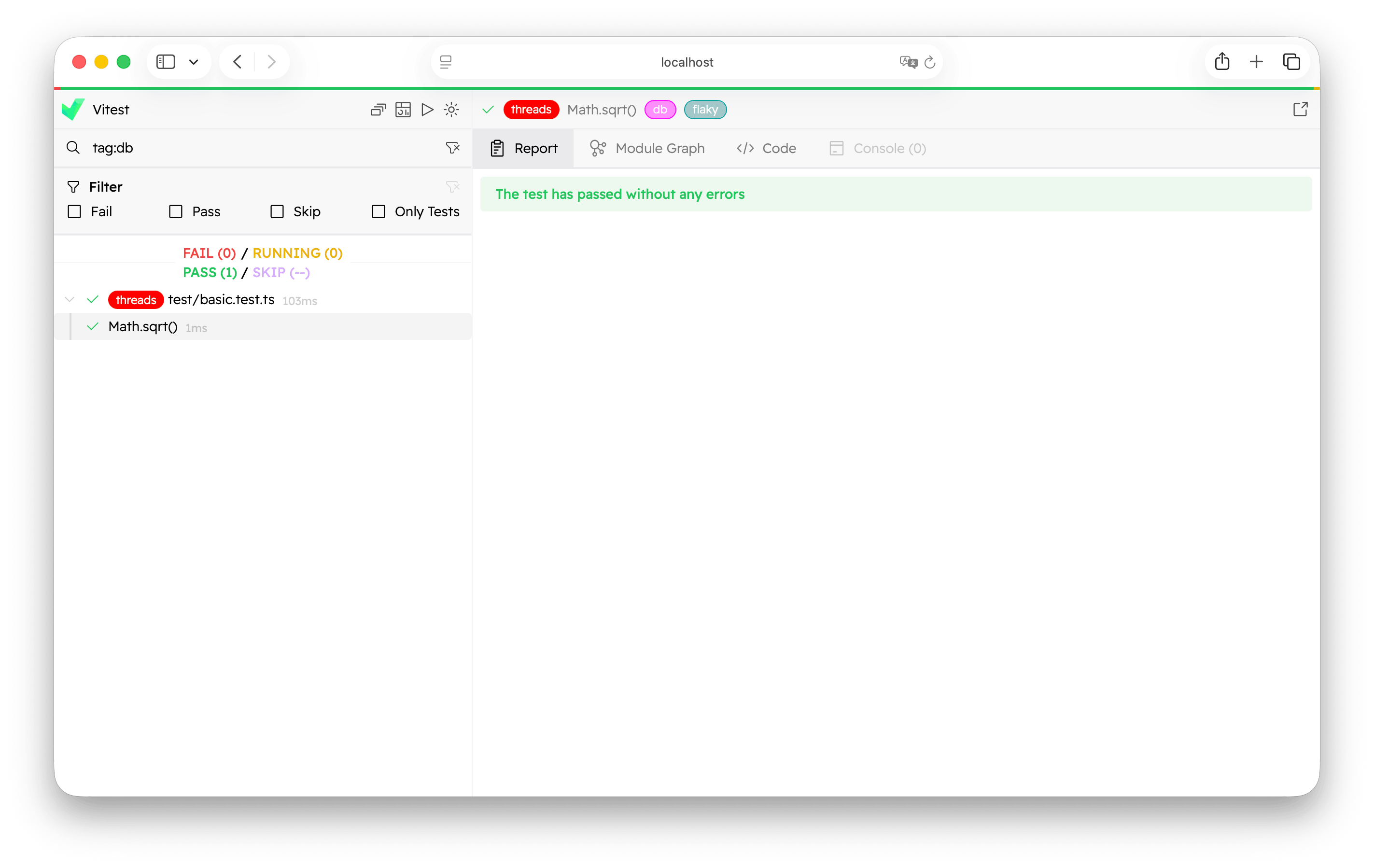
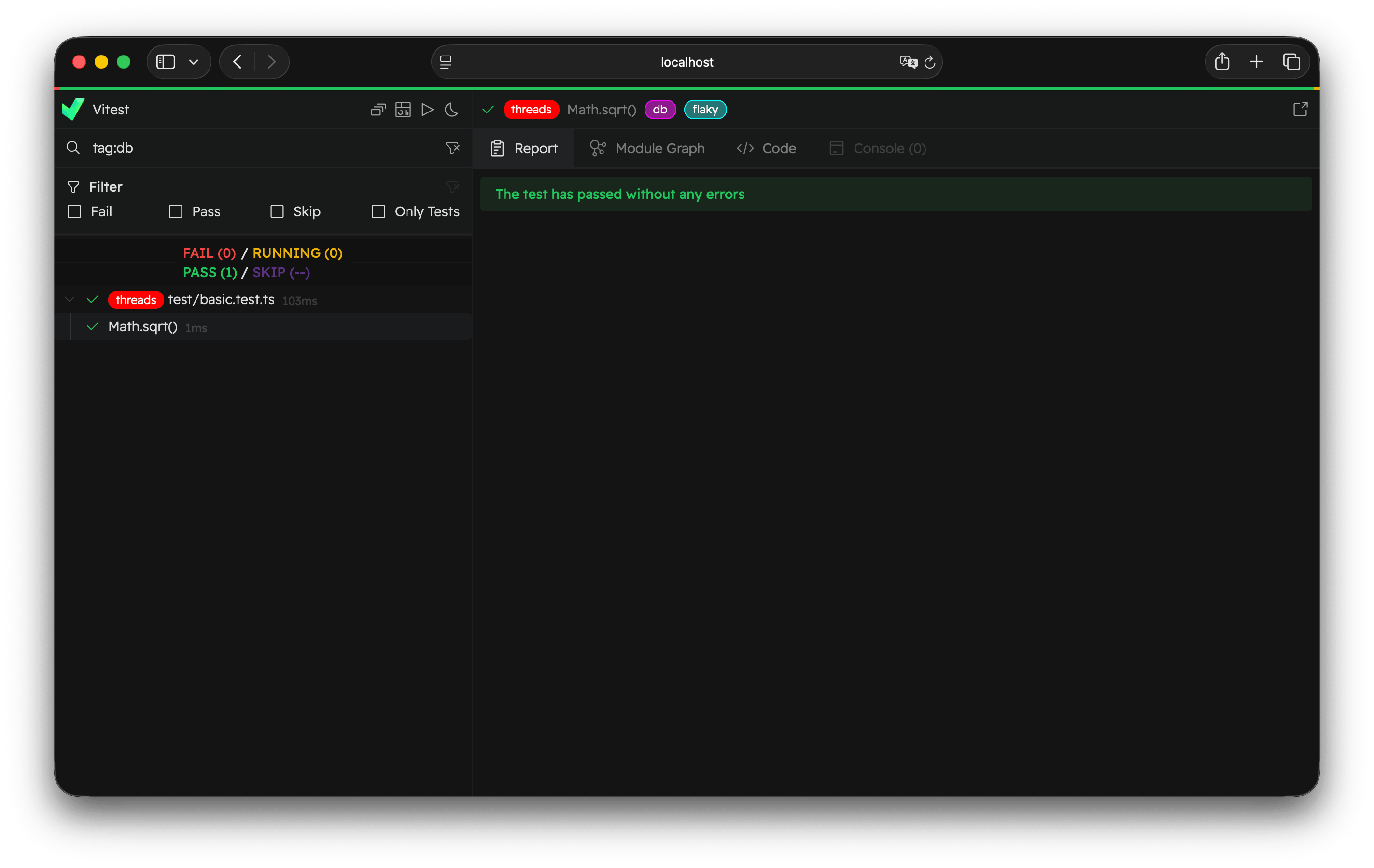
If you are using a programmatic API, you can pass down a tagsFilter option to startVitest or createVitest:
import { startVitest } from 'vitest/node'

await startVitest([], {
  tagsFilter: ['frontend and backend'],
})
Or you can create a test specification with your custom filters:
const specification = vitest.getRootProject().createSpecification(
  '/path-to-file.js',
  {
    testTagsFilter: ['frontend and backend'],
  },
)
Syntax
You can combine tags in different ways. Vitest supports these keywords:
andor&&to include both expressionsoror||to include at least one expressionnotor!to exclude the expression*to match any number of characters (0 or more)()to group expressions and override precedence
The parser follows standard operator precedence: not/! has the highest priority, then and/&&, then or/||. Use parentheses to override default precedence.
Reserved Names
Tag names cannot be and, or, or not (case-insensitive) as these are reserved keywords. Tag names also cannot contain special characters ((, ), &, |, !, *, spaces) as these are used by the expression parser.
Wildcards
You can use a wildcard (*) to match any number of characters:
vitest --tags-filter="unit/*"This will match tags like unit/components, unit/utils, etc.
Excluding Tags
To exclude tests with a specific tag, add an exclamation mark (!) at the start or a "not" keyword:
vitest --tags-filter="!slow and not flaky"Examples
Here are some common filtering patterns:
# Run only unit tests
vitest --tags-filter="unit"

# Run tests that are both frontend AND fast
vitest --tags-filter="frontend and fast"

# Run tests that are either unit OR e2e
vitest --tags-filter="unit or e2e"

# Run all tests except slow ones
vitest --tags-filter="!slow"

# Run frontend tests that are not flaky
vitest --tags-filter="frontend && !flaky"

# Run tests matching a wildcard pattern
vitest --tags-filter="api/*"

# Complex expression with parentheses
vitest --tags-filter="(unit || e2e) && !slow"

# Run database tests that are either postgres or mysql, but not slow
vitest --tags-filter="db && (postgres || mysql) && !slow"
You can also pass multiple --tags-filter flags. They are combined with AND logic:
# Run tests that match (unit OR e2e) AND are NOT slow
vitest --tags-filter="unit || e2e" --tags-filter="!slow"
Checking Tags Filter at Runtime
You can use TestRunner.matchesTags to check whether the current tags filter matches a set of tags. This is useful for conditionally running expensive setup logic only when relevant tests are included:
import { beforeAll, TestRunner } from 'vitest'

beforeAll(async () => {
  // Seed database when "vitest --tags-filter db" is used
  if (TestRunner.matchesTags(['db'])) {
    await seedDatabase()
  }
})
The method accepts an array of tags and returns true if the current --tags-filter would include a test with those tags. If no tags filter is active, it always returns true.
See also
- Per-File Isolation Settings and Parallel and Sequential Test Files use projects to partition tests by file. Reach for projects when categories need different runner settings rather than different timeouts or retries.
- Test Filtering covers
-t,--include, and the rest of the CLI filters. tagsandstrictTagsconfiguration reference.